Every screen, and what it is actually for
Grouped the way the application is grouped, so you can find the thing you were told about on the phone.
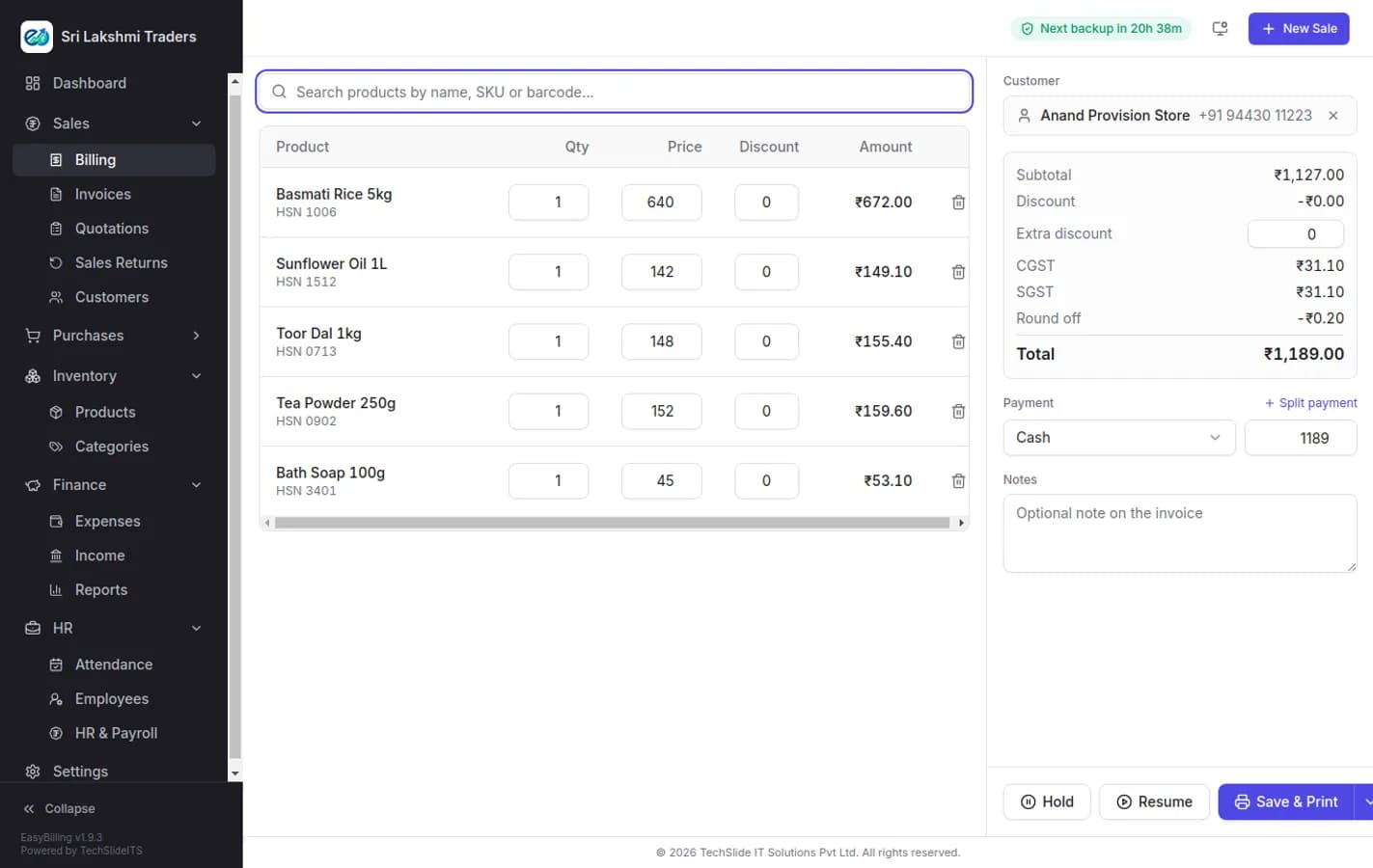
Raise a GST invoice in under a minute
Search an item by name, SKU or barcode and it drops onto the bill at the right price and the right tax slab. Quantity, per-line discount and an overall discount are all editable in place, CGST and SGST split themselves, the total rounds off, and the bill prints or goes out on WhatsApp. Nothing about it assumes an accounting background.
- Search by name, SKU or barcode, or scan straight into the bill
- Per-line and whole-bill discounts, with the tax recalculated as you type
- CGST, SGST and IGST applied automatically from the place of supply
- Cash, card, UPI, bank transfer and credit, including split payments
- Hold a bill and resume it when the customer comes back to the counter
- Automatic round-off so the amount you collect is a whole number
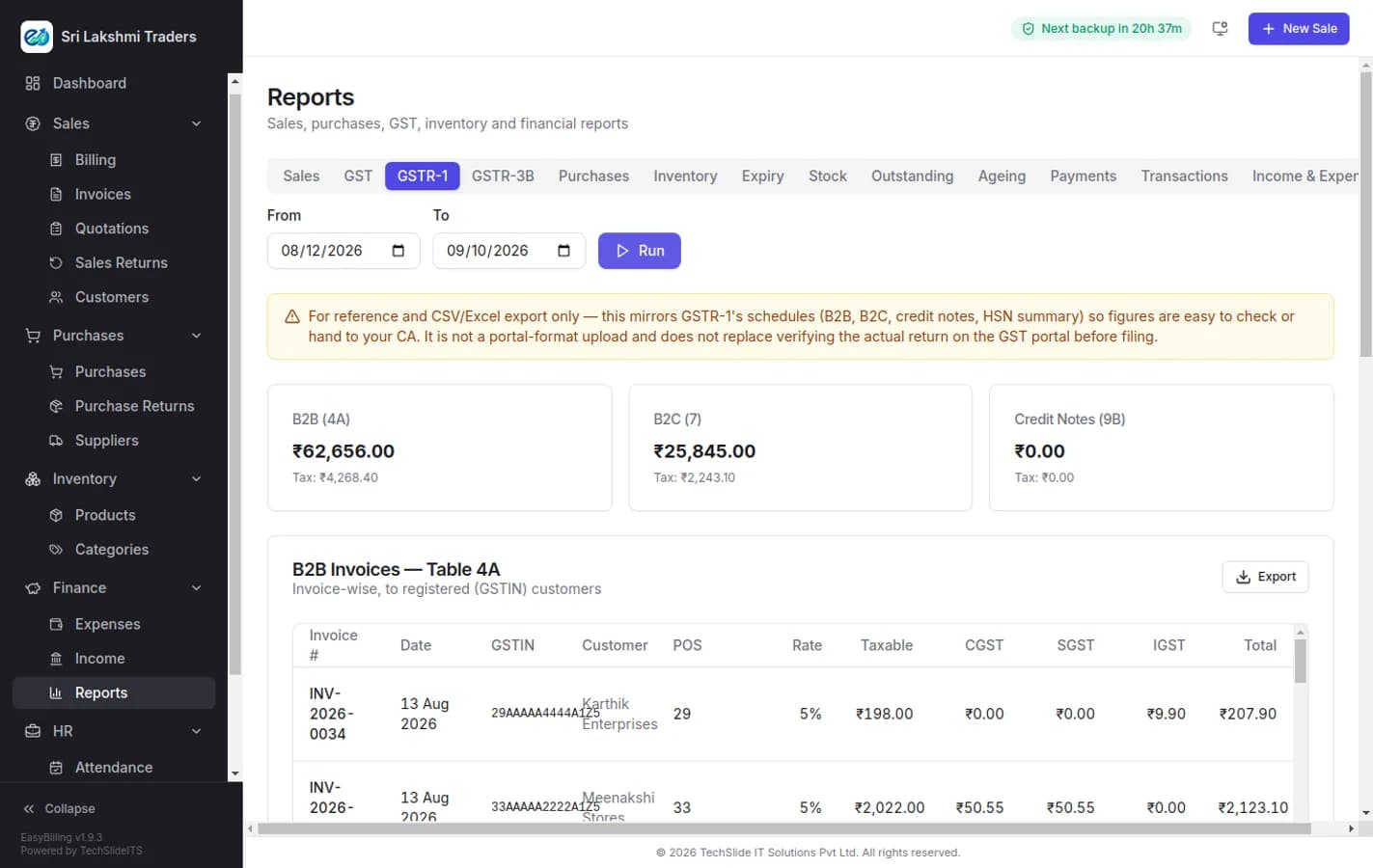
GSTR-1 and GSTR-3B, built from bills you already raised
The returns are not a separate exercise you do at month end. Every invoice already carries its HSN code, place of supply and tax split, so the GSTR-1 schedules assemble themselves — B2B invoice-wise, B2C consolidated, credit notes and the HSN summary — and export to CSV or Excel for your CA or for the portal.
- GSTR-1 with B2B (Table 4A), B2C, credit notes and HSN summary
- GSTR-3B summary for the same period, from the same data
- Invoice-wise detail showing GSTIN, place of supply, rate and taxable value
- CGST, SGST and IGST separated correctly for interstate sales
- Export to CSV or Excel to hand straight to your accountant
- Reverse charge, nil-rated and exempt supplies handled
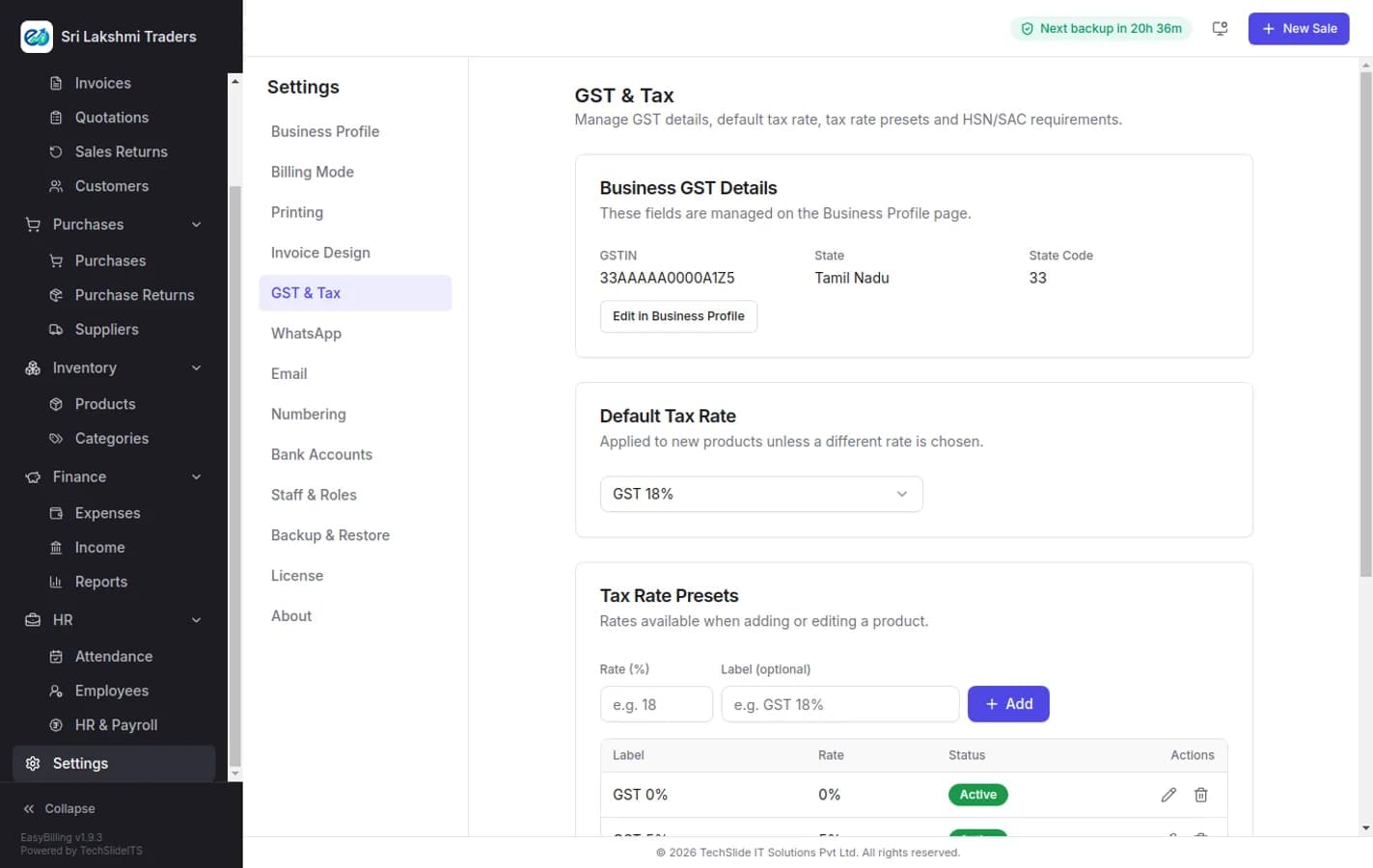
Set your GST rules once and stop thinking about them
Your GSTIN, state and state code come from the business profile and drive every tax decision the software makes. Set a default rate, keep a list of the slabs you actually use, and decide whether HSN codes are mandatory on your invoices — after that the billing screen simply applies the right thing.
- GSTIN, state and state code drive intrastate versus interstate tax
- Default tax rate applied to new items automatically
- Tax rate presets for the slabs your catalogue really uses
- Make HSN or SAC codes compulsory so returns are never short of data
- Inclusive or exclusive pricing, set per item
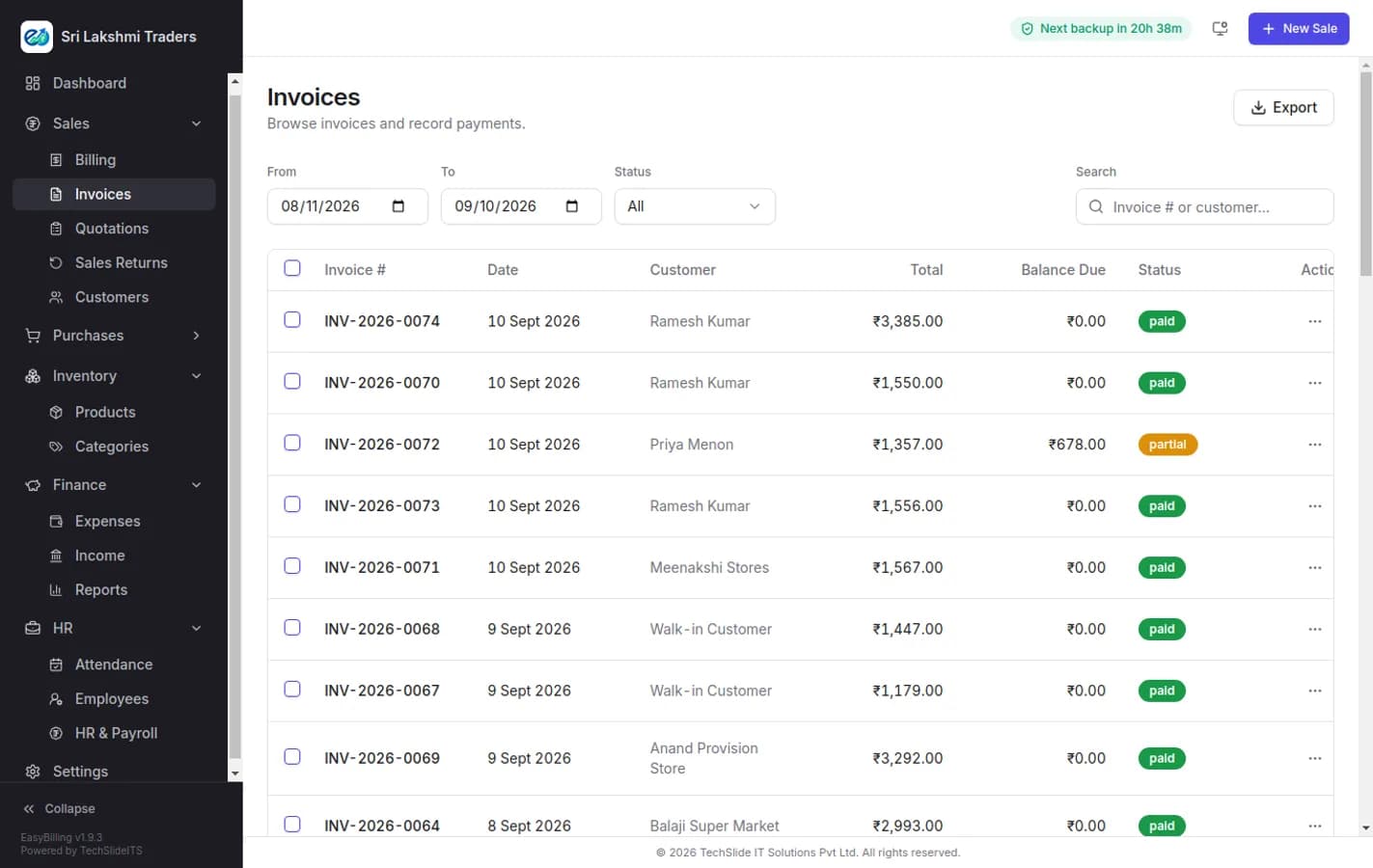
Every bill, and exactly who still owes you
The invoice list is the working record: filter by date range or status, search by number or customer, and see the balance due beside every total. Recording a payment against an invoice moves it from unpaid to partial to paid, so the outstanding figure is always the real one rather than something reconstructed at month end.
- Filter by date range and by paid, partial or unpaid status
- Search by invoice number or customer name
- Record full or part payments against any invoice
- Balance due shown per invoice and rolled up per customer
- Edit, amend or cancel with the change recorded, not overwritten
- Export the filtered list for your accountant
Chase what is overdue, oldest first
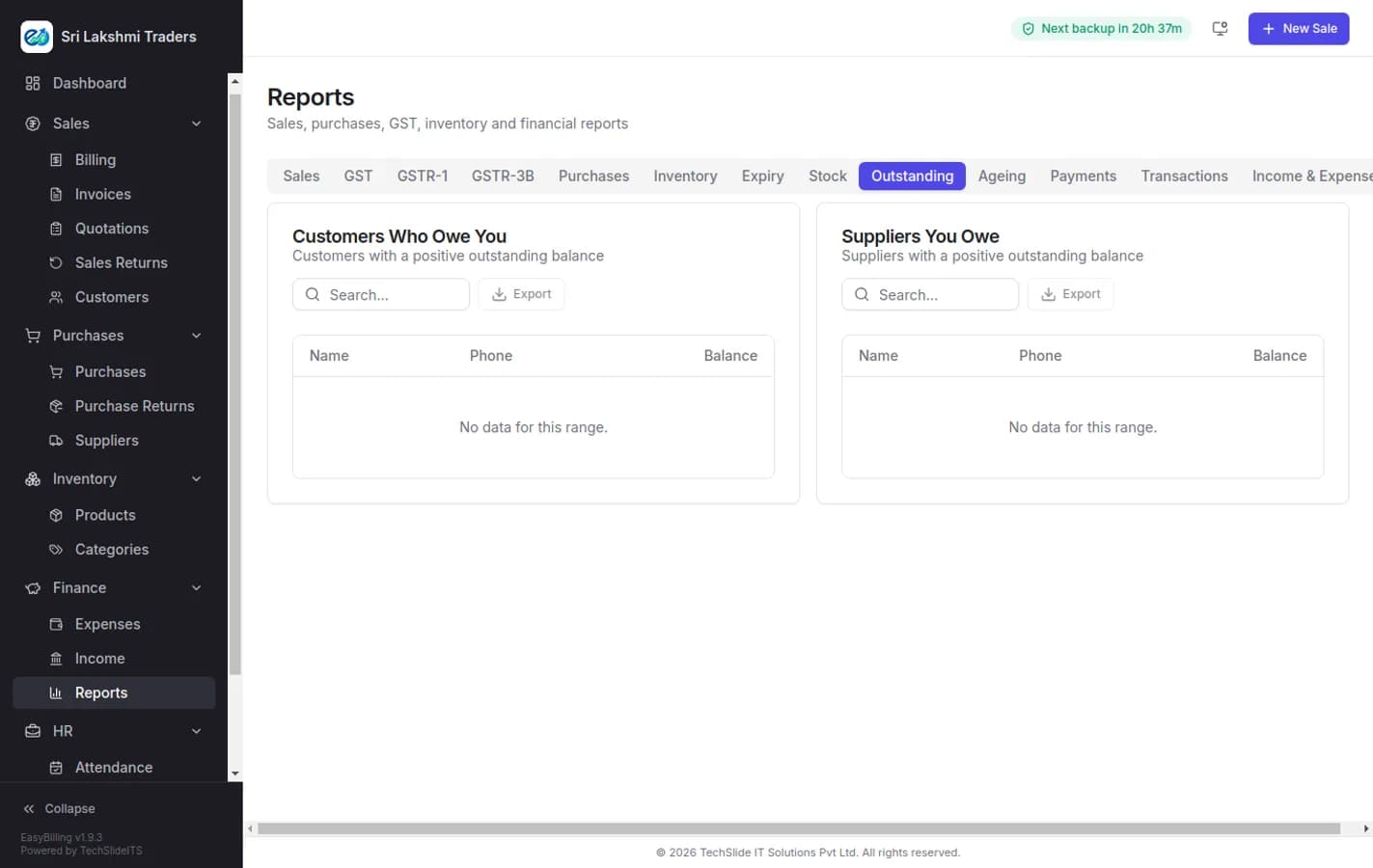
The outstanding report answers the question a small business actually asks: who owes me money, how much, and for how long. Ageing buckets separate the merely recent from the genuinely overdue, so the follow-up list writes itself instead of being guessed at.
- Outstanding balance by customer, largest first
- Ageing buckets so 90-day debt is not hidden behind last week’s
- Drill from a customer to the individual unpaid invoices
- Payment reminders over WhatsApp without leaving the screen
- Credit limits per customer, checked at the counter
The numbers, without building a spreadsheet
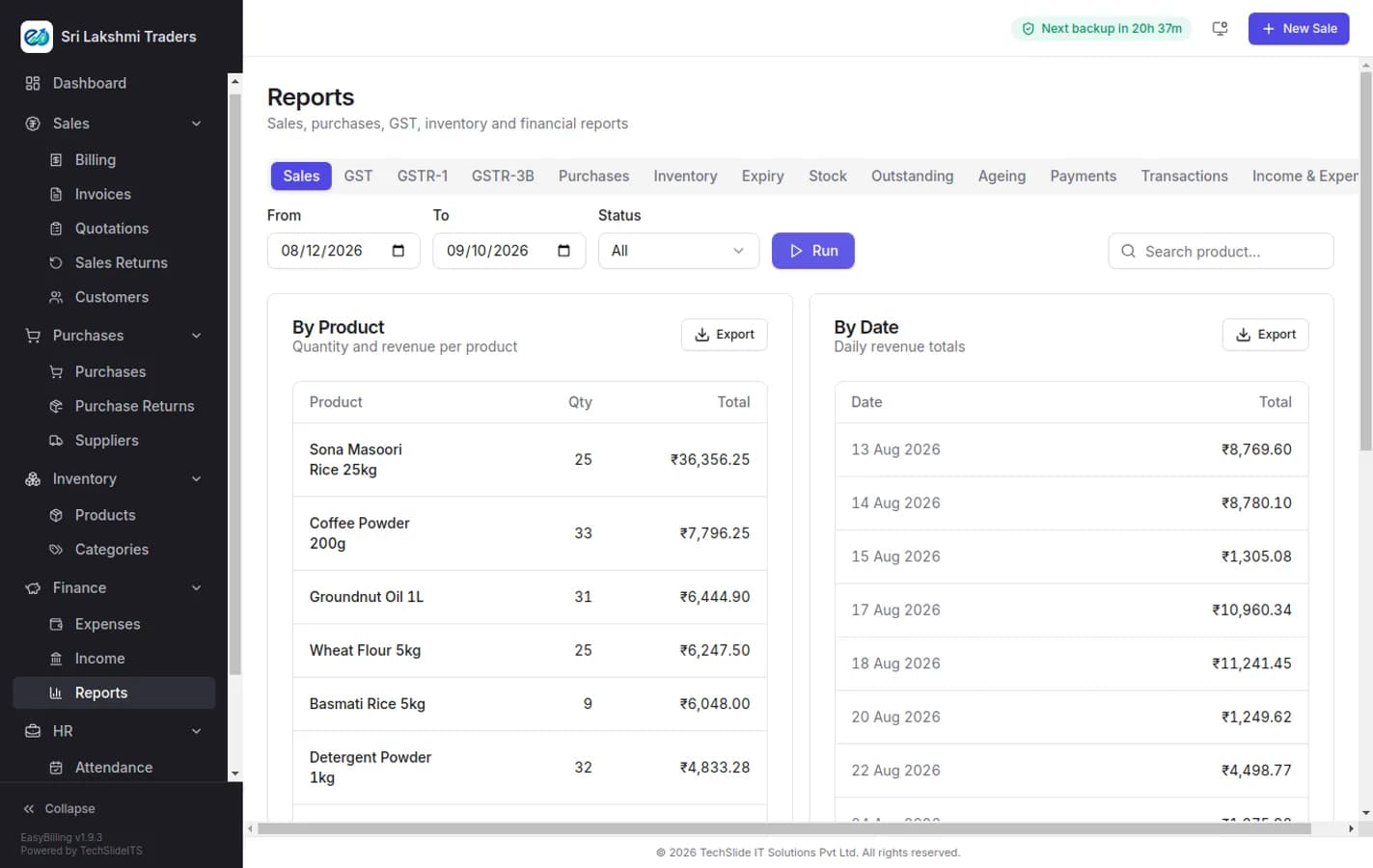
Fourteen report tabs cover sales, purchases, GST, inventory, stock, expiry, outstanding, ageing, payments, transactions and income versus expense. Each takes a date range and exports, so the monthly pack for your CA is a few clicks rather than an afternoon.
- Sales and purchase registers for any date range
- Stock on hand, stock movement and expiry tracking
- Payments and transactions by mode, for reconciliation
- Income and expense summary behind your profit figure
- Every report exports to CSV or Excel
Stock that matches the shelf
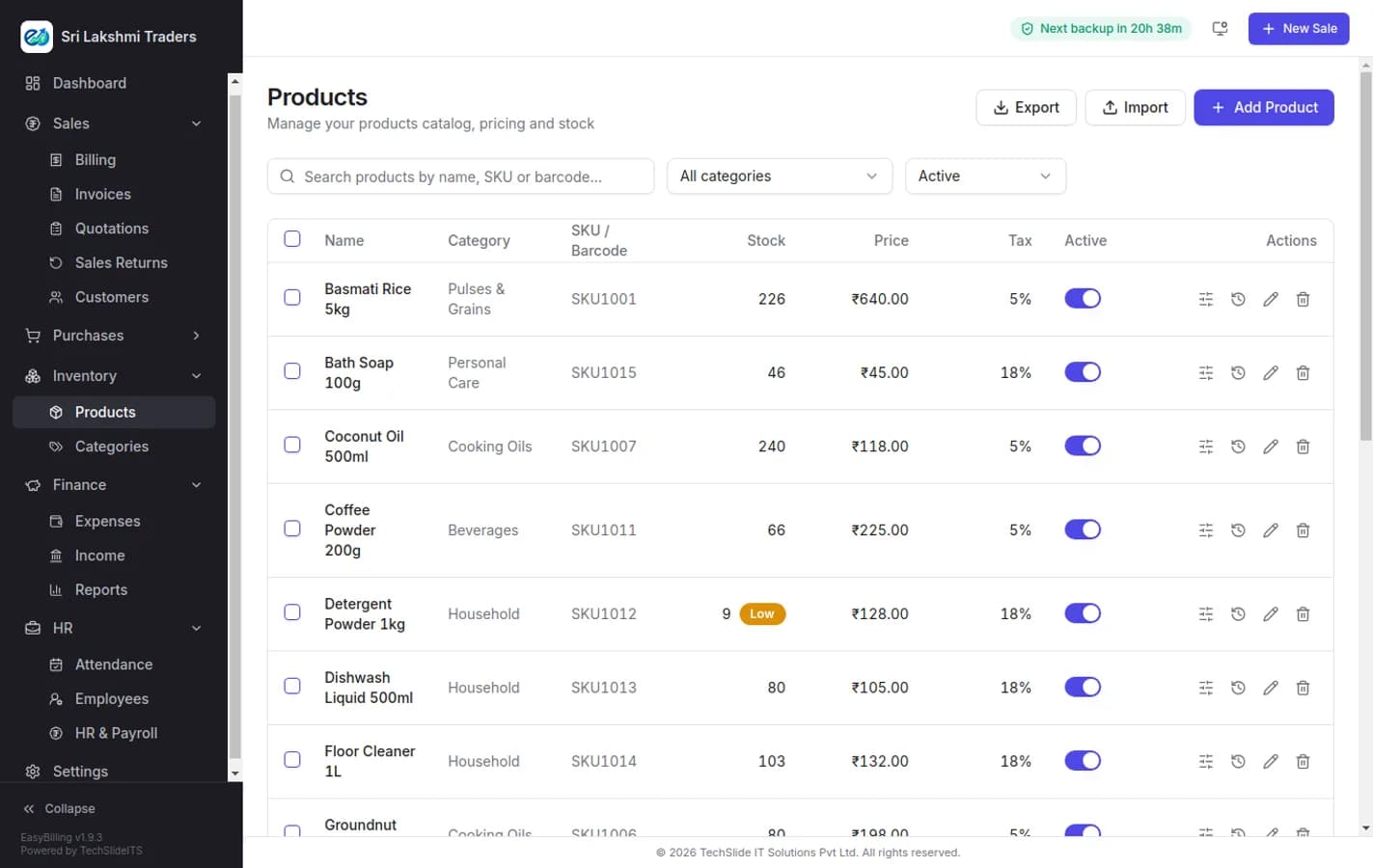
Every bill, purchase and return moves stock the moment it is saved, so the quantity on screen is the quantity in the shop. Items carry SKU, barcode, HSN, purchase and selling price, MRP, tax slab and a re-order level, and the dashboard tells you what is running out before a customer does.
- Live stock updated by every sale, purchase and return
- SKU, barcode, HSN, MRP, cost and selling price per item
- Low stock alerts against a per-item re-order level
- Categories, units, and weighted items sold by kilo or litre
- Batch and expiry tracking where you need it
- Stock ledger showing every movement of a single item
Record the supplier bill, and the stock follows
Purchase entry captures the supplier bill as it arrives: items, rates, tax and landed cost. Stock goes up, the supplier balance goes up, and the margin on every item stays honest because it is measured against what you actually paid rather than a price typed in once.
- Purchase entry against the supplier invoice
- Stock and cost updated in the same step
- Supplier ledger with outstanding payables
- Purchase returns and debit notes
- Attach a scan of the original bill to the entry
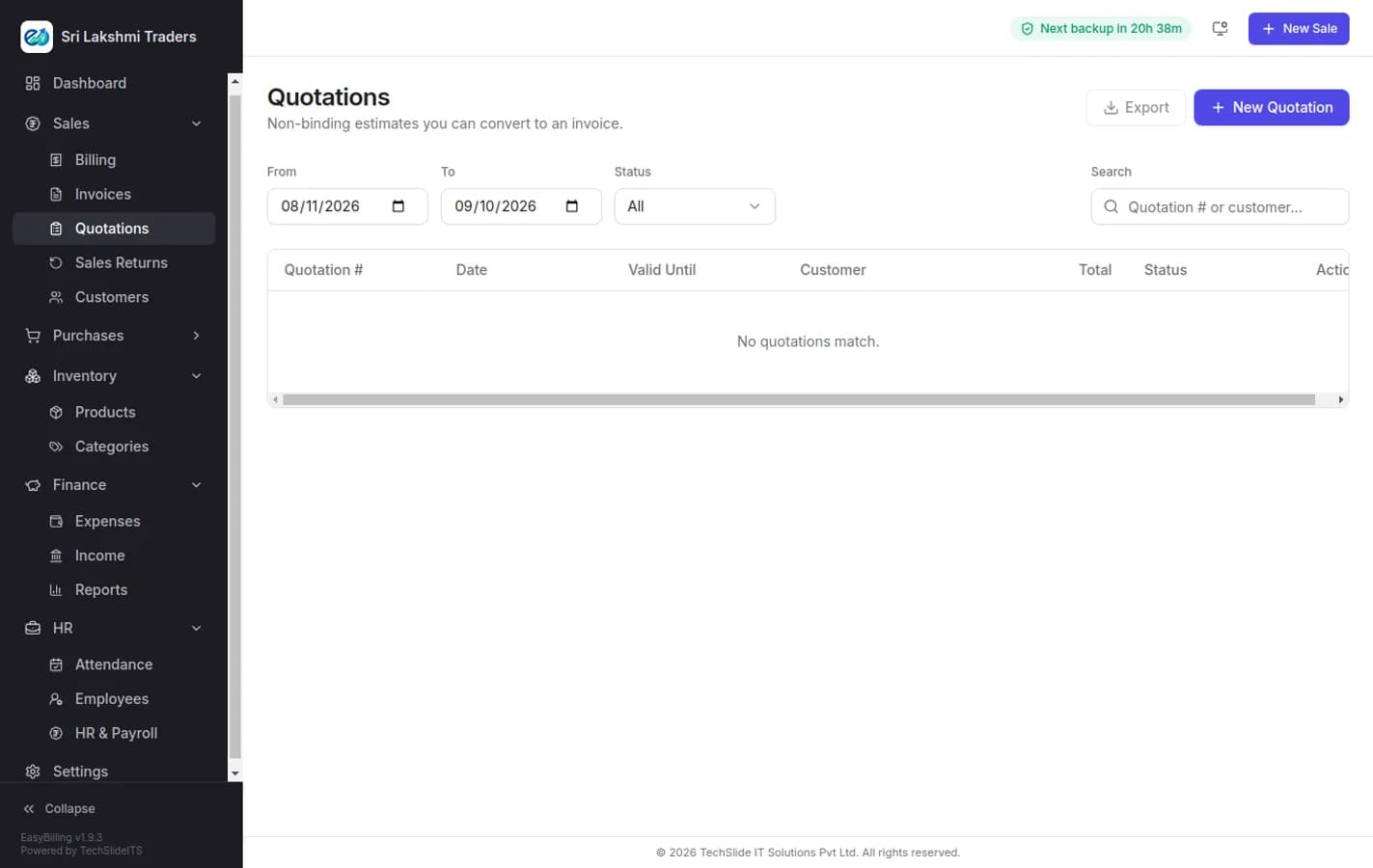
Quote first, invoice without retyping
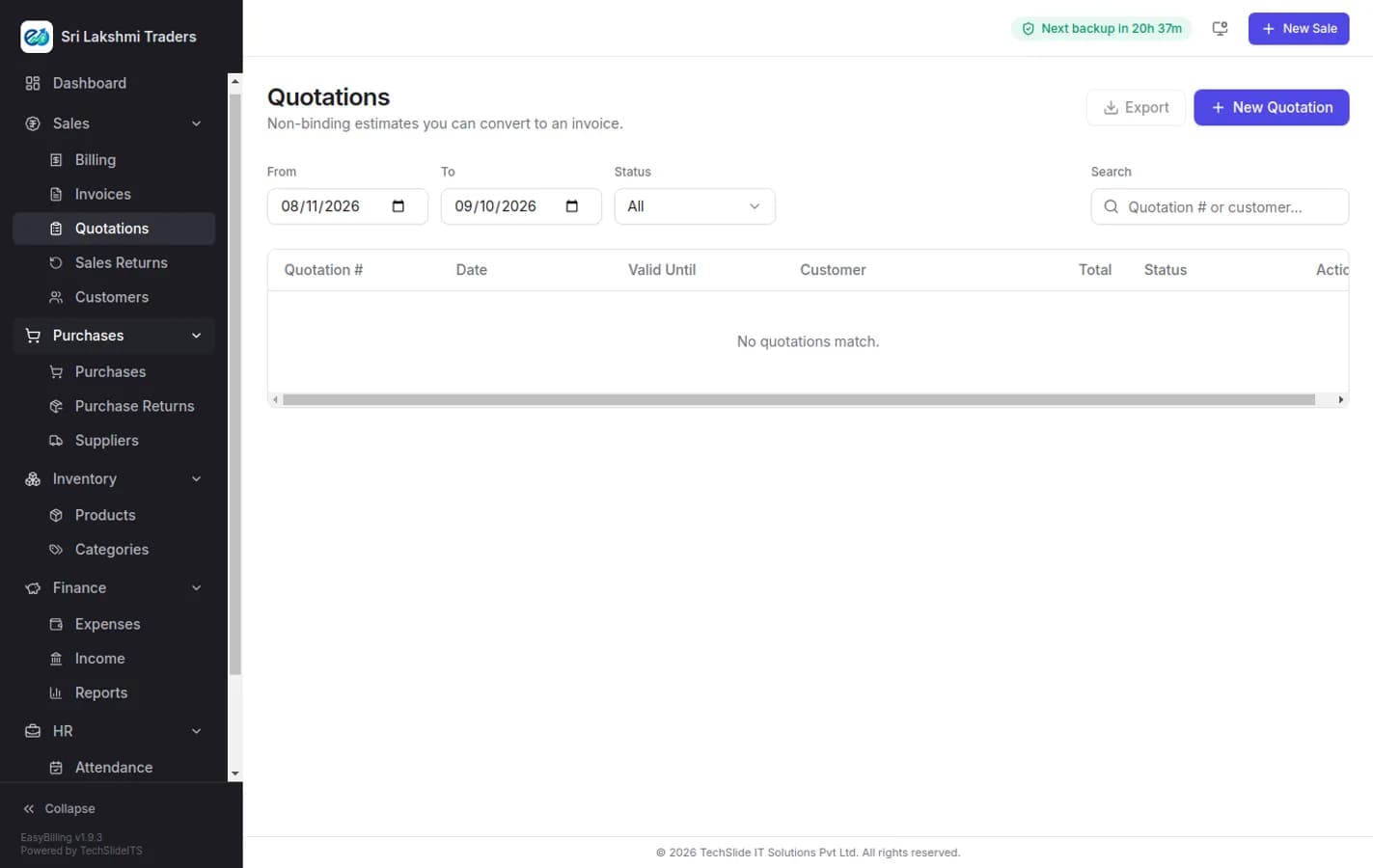
Contractors, distributors and service businesses rarely bill without quoting first. Raise the quotation, send it, and when it is accepted convert it to an invoice in one step — no re-entry, and no risk of the invoice quietly disagreeing with what the customer approved.
- Raise and send quotations with your own branding
- Convert an accepted quotation to an invoice in one step
- Track which quotes are open, accepted or lost
- Revise a quotation without losing the earlier version
A ledger per customer, not a notebook
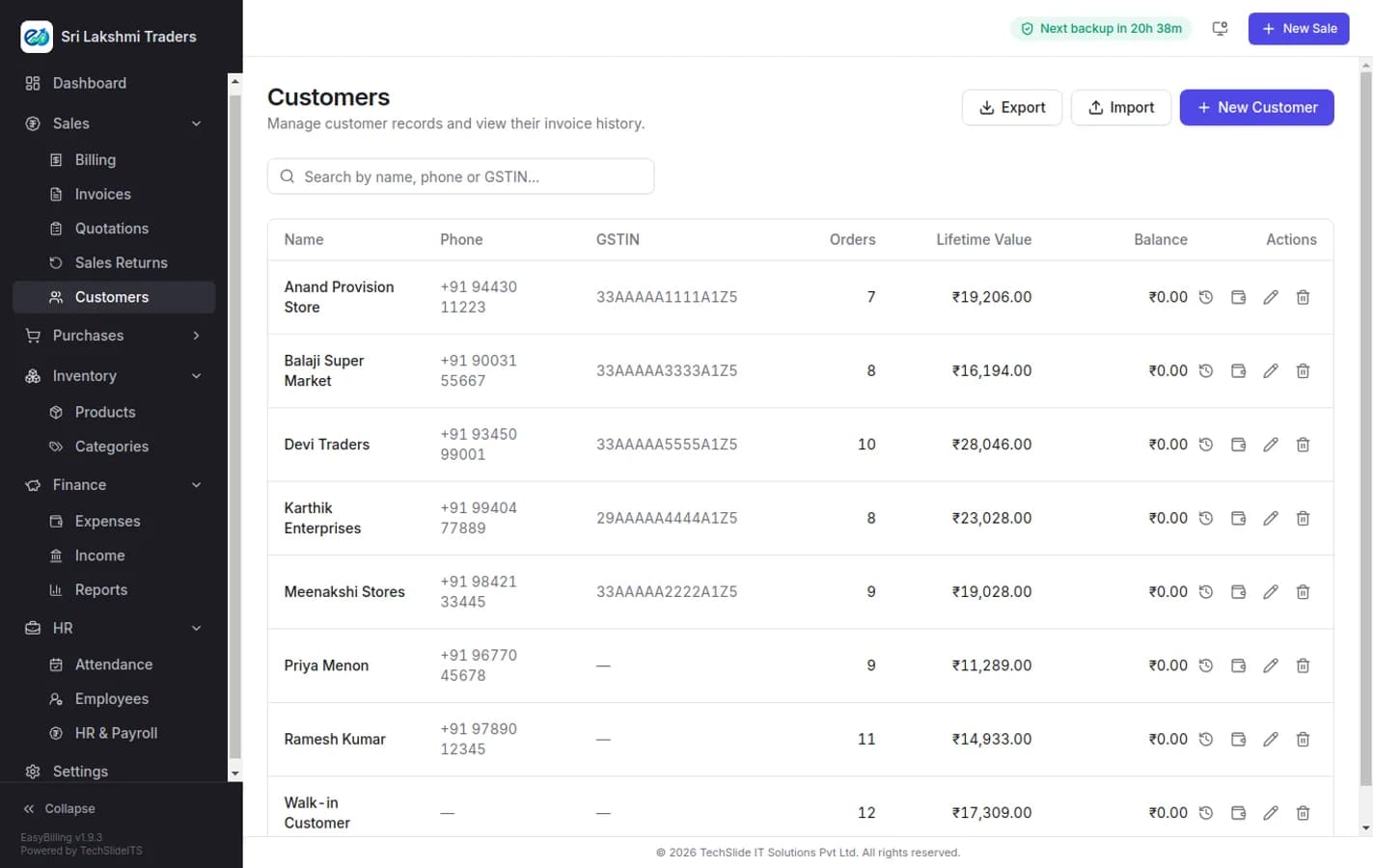
Every customer carries their GSTIN, billing address, credit limit and running balance. Khata-style credit is recorded against the account rather than remembered, and the balance you see at the counter is the balance the reports agree with.
- Customer ledger with running balance and credit limit
- GSTIN and address captured once, applied to every invoice
- Credit sales tracked per account, with reminders
- Price lists per customer group — retail, wholesale, staff
- Full transaction history for any customer
The other half of your profit figure
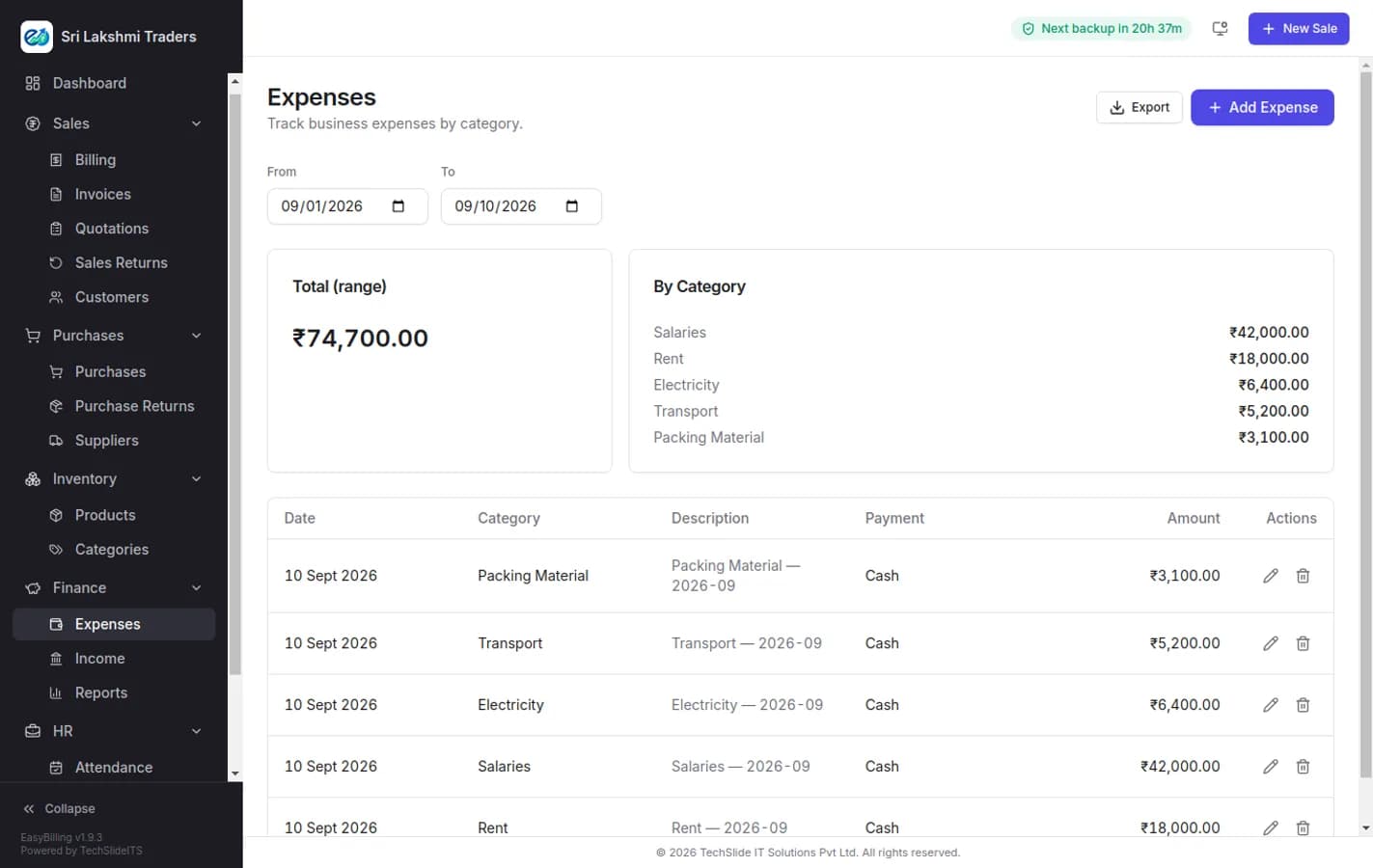
Rent, salaries, electricity, transport, packing — recorded by category and date, against a payment mode. Without them a profit figure is just a sales figure, which is why the income and expense report reads from the same entries rather than a separate sheet nobody updates.
- Expenses by category, date and payment mode
- Recurring costs recorded once a month, not reconstructed
- Income entries for revenue that does not come from an invoice
- Income versus expense report behind the profit number
- Bank and cash accounts kept separate
Mark the day for everyone in one screen
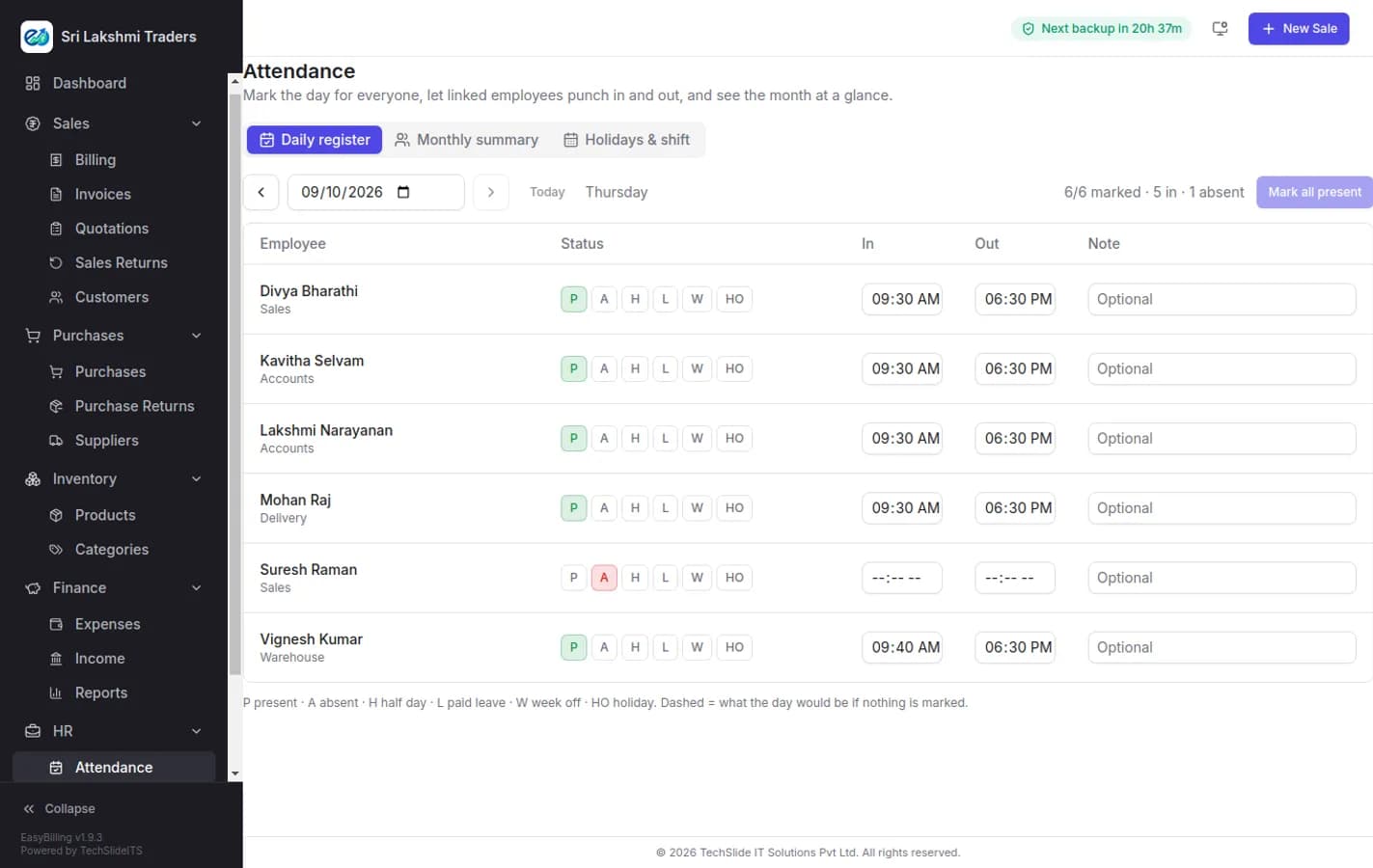
The daily register puts every employee on one screen: present, absent, half day, leave, week off or holiday. Late minutes are counted against your shift start, staff with a login can punch themselves in and out, and the monthly summary is what payroll reads from — so nobody is retyping a register into a salary sheet.
- Daily register for the whole team, marked in one pass
- Present, absent, half day, leave, week off and holiday
- Late minutes measured against your shift start and grace period
- Employees with a login can punch in and out themselves
- Monthly summary per employee, and a holiday calendar
- Feeds payroll directly — paid days are never entered twice
Run the month’s payroll from the attendance you already marked
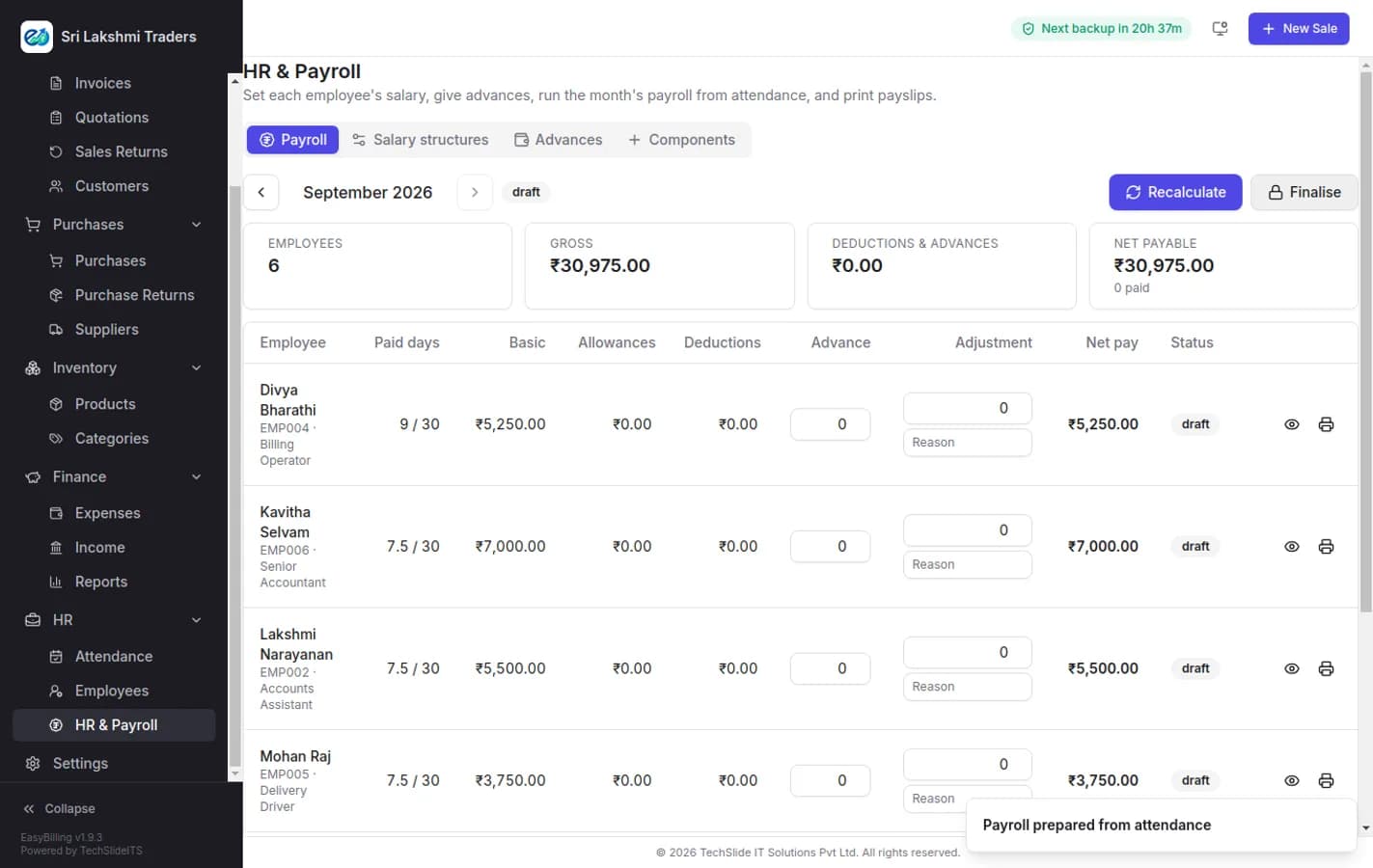
Press prepare, and payroll builds itself from the register: paid days per employee, basic pro-rated against the month, allowances and deductions from their salary structure, and any advance recovered. Review it, adjust a line with a reason recorded, finalise, and print payslips.
- Payroll prepared from attendance — paid days are not typed in
- Salary structures with earnings and deductions per employee
- Salary advances given and recovered automatically
- Per-line adjustments, each with the reason recorded
- Gross, deductions and net pay totalled before you commit
- Payslips printed or shared, and the cost posted as an expense
Everyone on the payroll, in one list
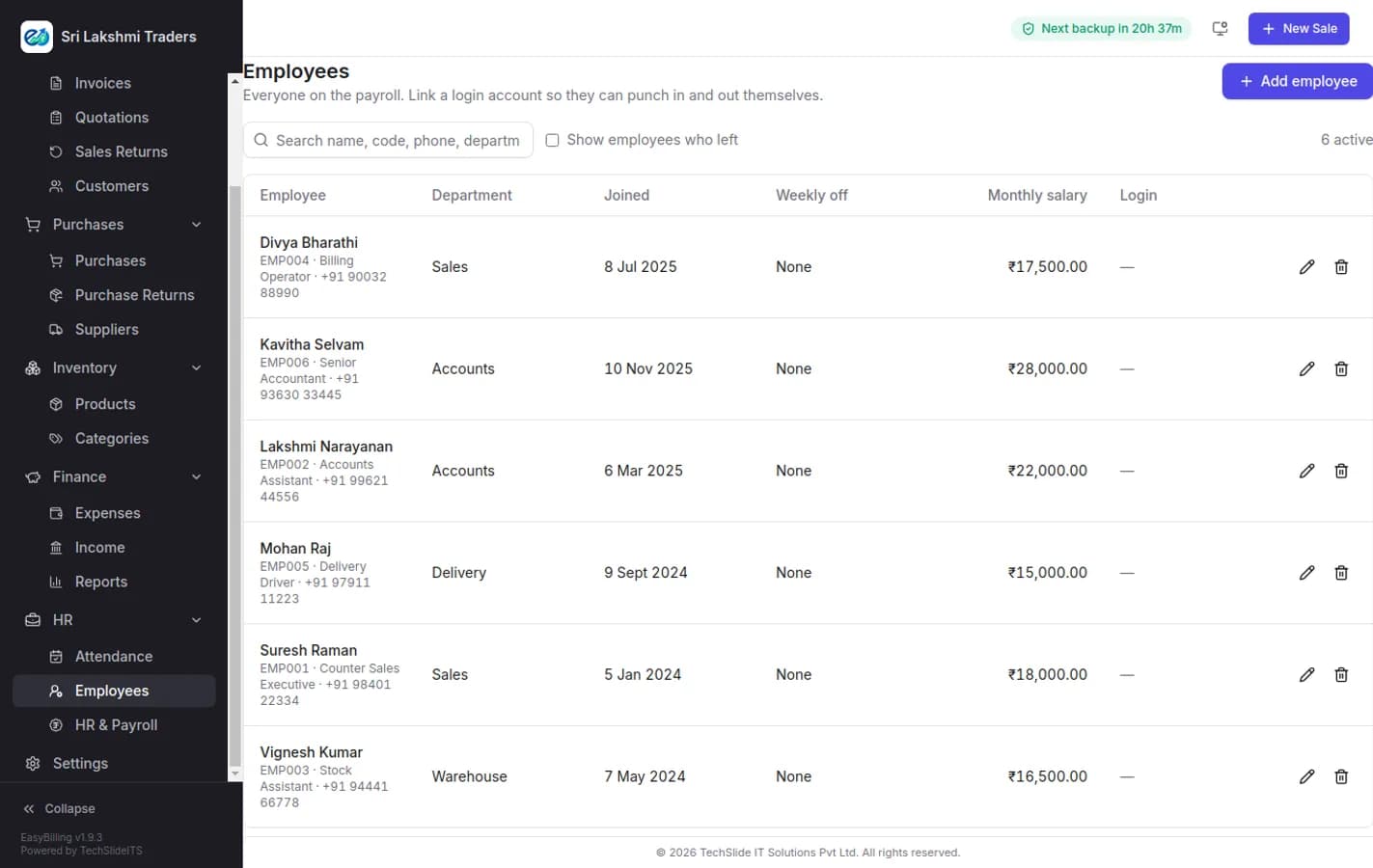
Each employee carries a code, department, designation, joining date, weekly off and monthly salary. Link a login and they can mark their own attendance; mark a leaver and they drop out of payroll without disappearing from last year’s payslips.
- Employee code, department, designation and joining date
- Monthly salary and paid leave allowance per person
- Weekly off set per employee, not assumed
- Link a staff login so they can punch in and out
- Leavers retained for history without affecting payroll
Your data on your PC, and a copy in your Drive
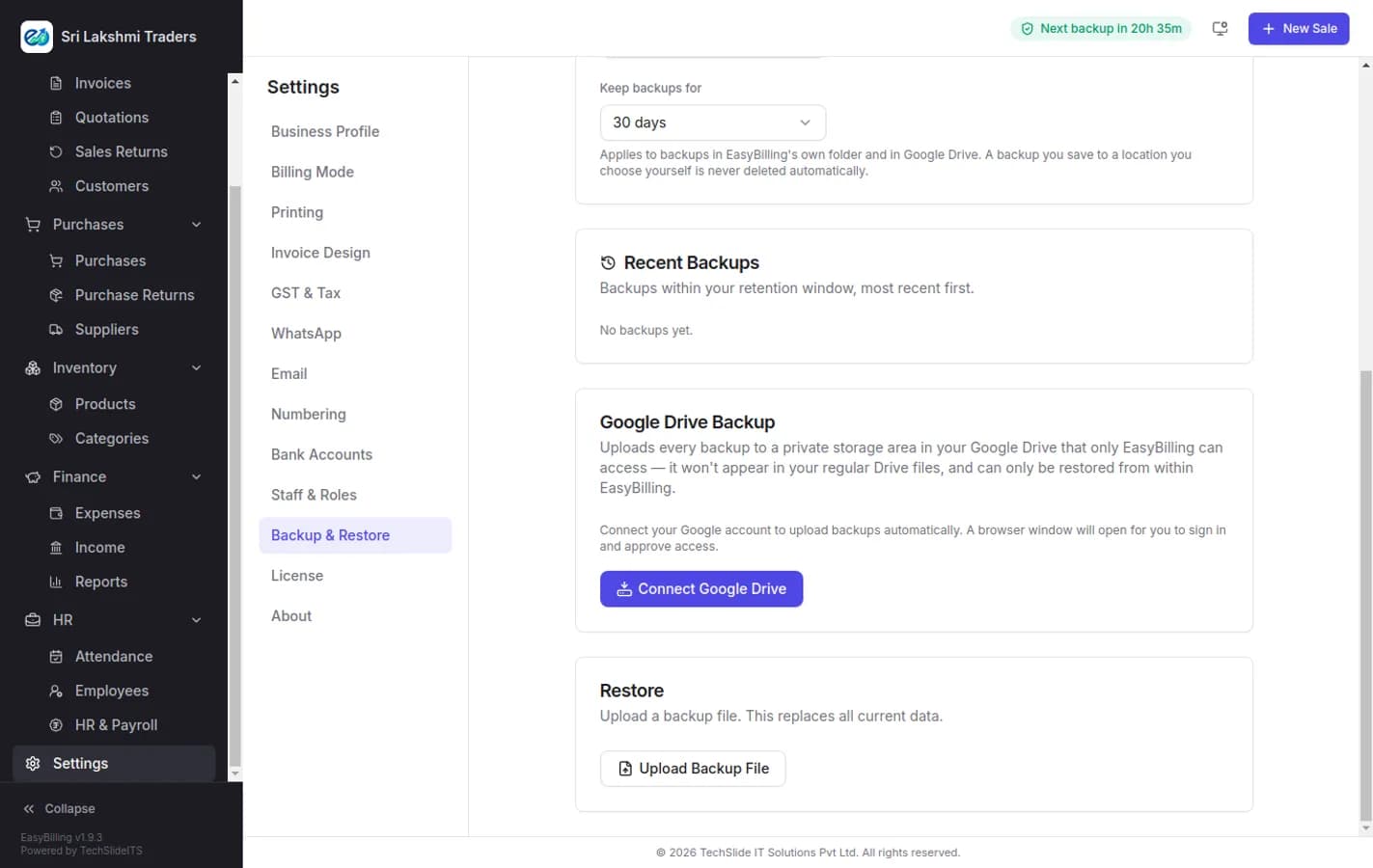
The database lives on your own machine, which is what keeps billing working with no internet. That also makes backup your responsibility, so EasyBilling automates it: scheduled local backups on the interval you choose, and every one of them uploaded to a private area of your Google Drive that only EasyBilling can read.
- Automatic backups on a schedule, while the app is open
- Uploaded to a private Google Drive area, invisible in your normal files
- Restorable only from inside EasyBilling
- Retention window you set — backups you save yourself are never deleted
- One-click manual backup before anything risky
- Restore from a backup file to move to a new PC
Send the bill where the customer will actually read it
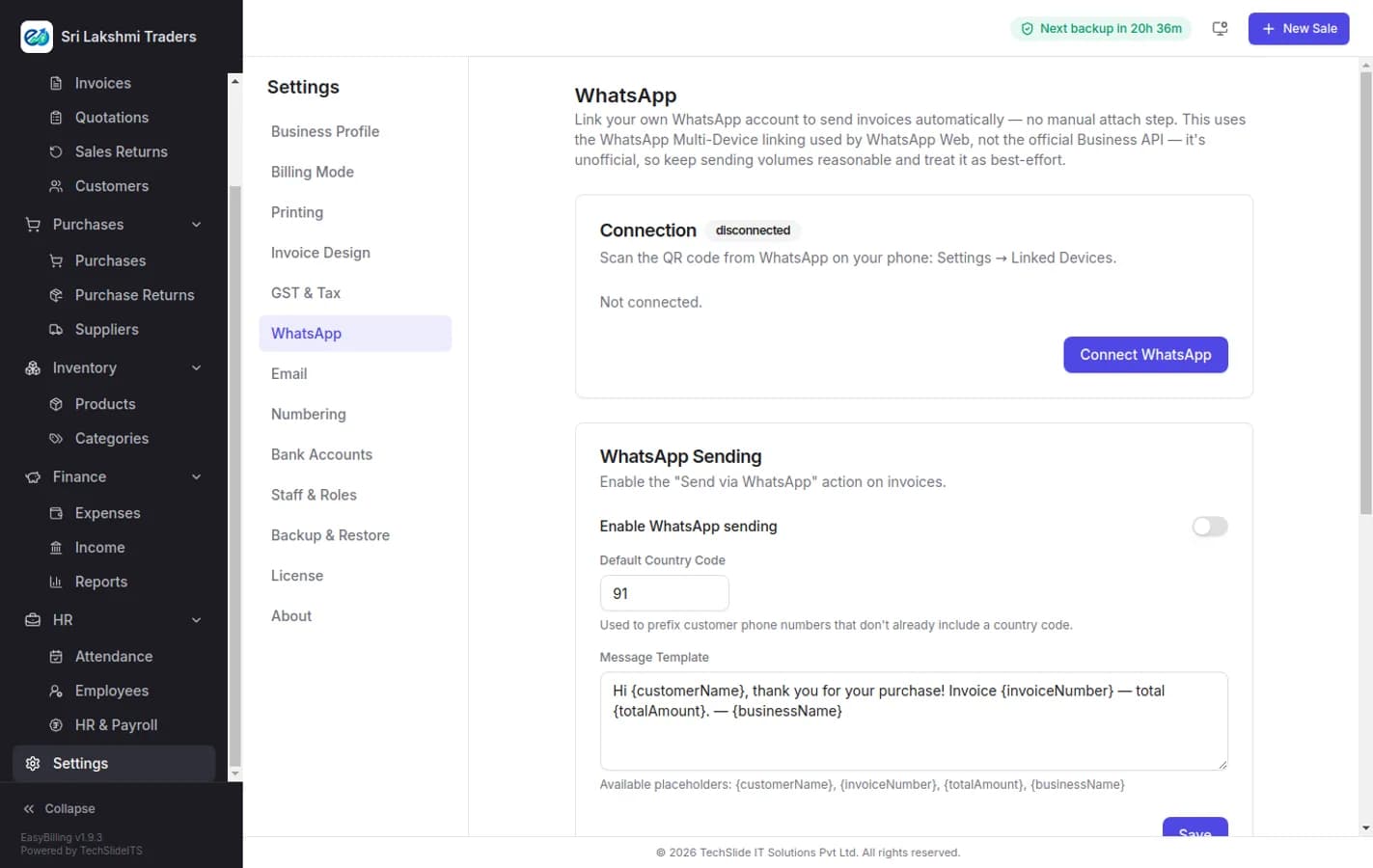
Link your own WhatsApp account and invoices go out as you raise them, with no manual attach step. The same channel carries payment reminders to customers whose balance has been sitting too long.
- Invoices sent on WhatsApp as they are raised
- Payment reminders to customers with an overdue balance
- Uses your own WhatsApp account through multi-device linking
- Delivery log showing what was sent and when
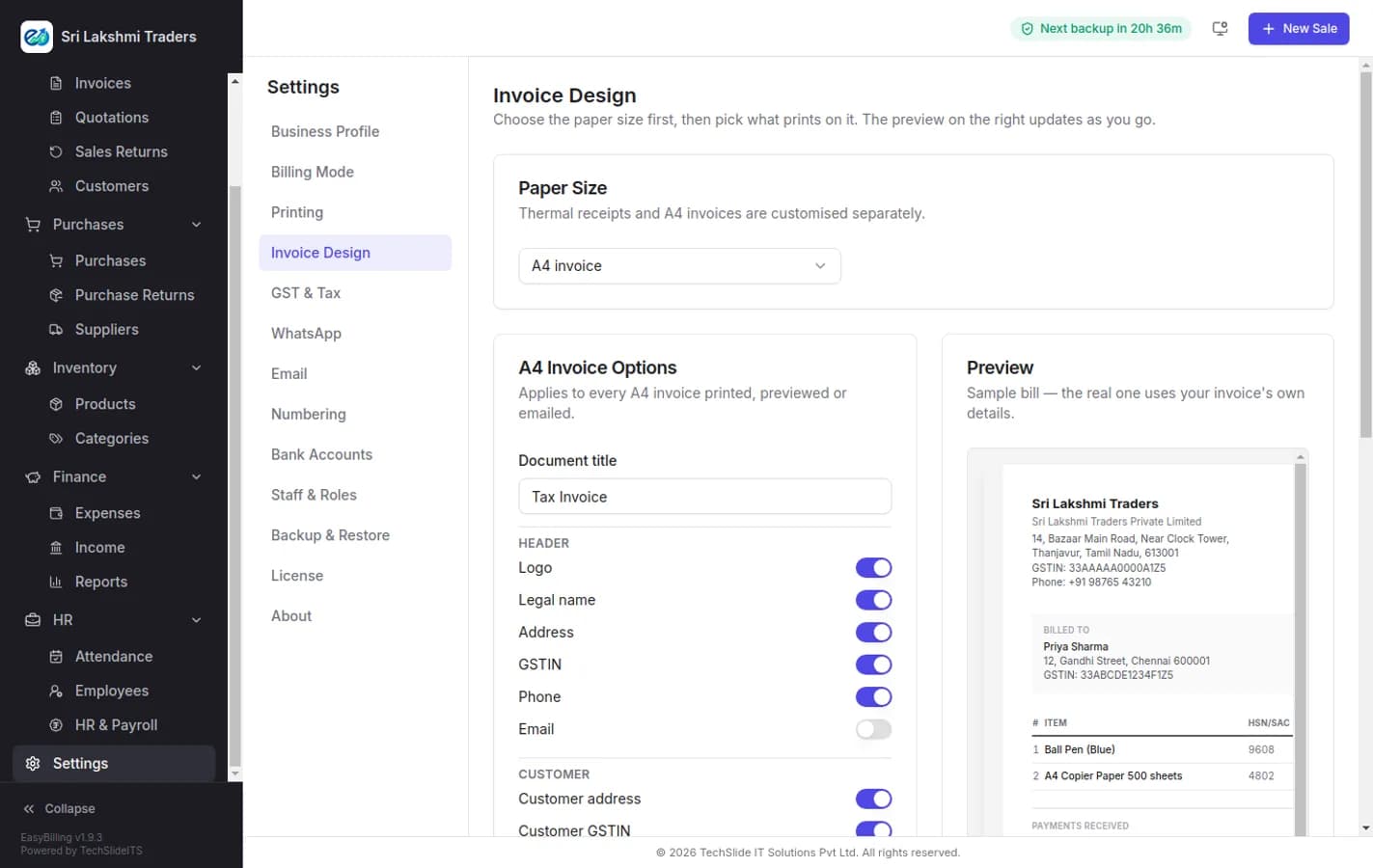
Make the bill look like your business
Choose the paper first — A4 or a 58mm or 80mm thermal roll — then decide what prints on it, with a preview that updates as you go. Your logo, your bank details, your terms, your number format.
- A4 and thermal (58mm, 80mm) designed separately
- Live preview while you change the layout
- Your logo, bank details, signature and terms
- Invoice number prefixes and formats, reset yearly or monthly
- Choose which columns and totals appear on the printed bill
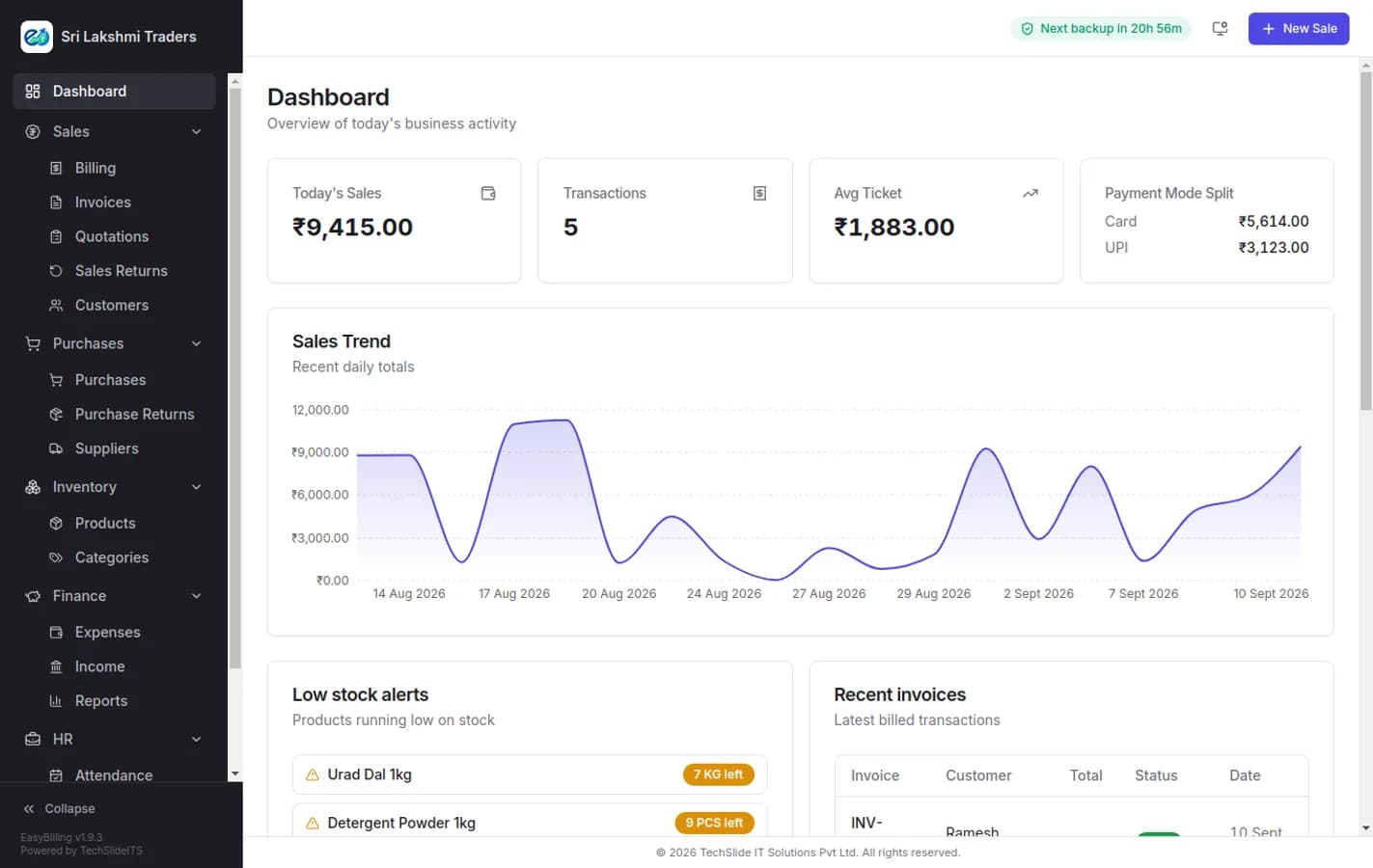
The day so far, on one screen
Open the app and the numbers that matter are already there: what you have sold today, how many bills, the average ticket, how the money came in, the trend over the last month, what is running out of stock and which invoices were raised most recently.
- Today’s sales, transaction count and average ticket
- Payment mode split — cash, card and UPI at a glance
- Thirty-day sales trend
- Low stock alerts with quantity remaining
- The most recent invoices with their payment status
The full list
What is in the core, and what your licence decides.
| Module | What it does | Availability |
|---|---|---|
| Billing / POS | Scan, hold, resume, split payments, thermal and A4 printing | Core |
| Invoices & customers | Balances, credit sales, outstanding, WhatsApp and email sharing | Core |
| Products & categories | HSN, units, batch and expiry with FEFO, barcode labels | Core |
| Dashboard & day book | The day's sales, collections, stock alerts and recent bills | Core |
| Quotations | Estimates, converted to an invoice in one click when accepted | Plan |
| Sales & purchase returns | Credit and debit notes, with stock and balances adjusted | Plan |
| Purchases & suppliers | Supplier bills, recorded payments, a full edit that re-stocks | Plan |
| Expenses & income | Categories and monthly entries, feeding the profit report | Plan |
| Reports & GST | Day book, profit, stock valuation, outstanding, GSTR-1, GSTR-3B | Plan |
| Staff & roles | Username sign-in and roles built screen by screen | Plan |
| Invoice Design | Thermal or A4, every printed element chosen, with a live preview | Plan |
| Google Drive backup | Scheduled backup and restore from an account you own | Plan |
| WhatsApp & email | Invoice delivery over SMTP or Resend, with a test send | Plan |
| Attendance | Register, punch in/out, holidays, shifts, monthly summary | Plan |
| HR & Payroll | Salary structures, advances, monthly run, printable payslips | Plan |
In every licence
Billing & POS
Scan or search, hold and resume parked bills, split a payment across cash, card and UPI, print thermal or A4. Keyboard-first, so a trained hand never reaches for the mouse.
Inventory
Products, categories, units and HSN codes. Turn on batch and expiry per product and stock leaves by nearest expiry first, with an expiring-stock report behind it.
Barcode labels
Select products and print a sheet of scannable labels. Anything without a barcode gets one generated for it rather than being skipped.
Customers & balances
Credit sales, running balances and an outstanding report, with an invoice shared straight to WhatsApp or email when you want paying.
Reports
Day book, sales by item, profit, outstanding, stock valuation, expenses and income — each exportable, none of them needing a month-end rebuild.
Google Drive backup
Scheduled backups into your own Drive account, restorable from any point. The data folder is yours, and uninstalling asks before it touches it.
Licensed on top
HR & Payroll
Salary components as a fixed amount or a percentage of basic, a structure per employee, advances booked as expenses and recovered from payroll, a monthly run pro-rated by paid days, and printable A4 payslips.
Attendance
Daily register with one-click "mark all present", punch in and out with late marks against the shift, weekly offs, holidays, and a monthly summary with paid days and leave balance.
Purchases & returns
Supplier bills with payments recorded against them, a full edit that re-adjusts stock, and debit notes when goods go back.
Staff & roles
Username and password sign-in, custom roles built by ticking the screens and actions they may use, and password recovery using the licence key this device was activated with.
Looking for how EasyBilling fits alongside our other software? Read the product overview on techslideits.com.
See it on your own counter.
Install it and put your own products in. Nothing to uninstall if it is not for you.