Billing, GST and stock for the shop that can't wait for the internet.
EasyBilling is a Windows desktop application for Indian retailers and small businesses. Bill in seconds, track every batch, file GSTR-1 and 3B, run payroll — all on your own machine, backed up to your own Google Drive.
Free trial activates instantly — no key to type. Windows 10 & 11 · 64-bit
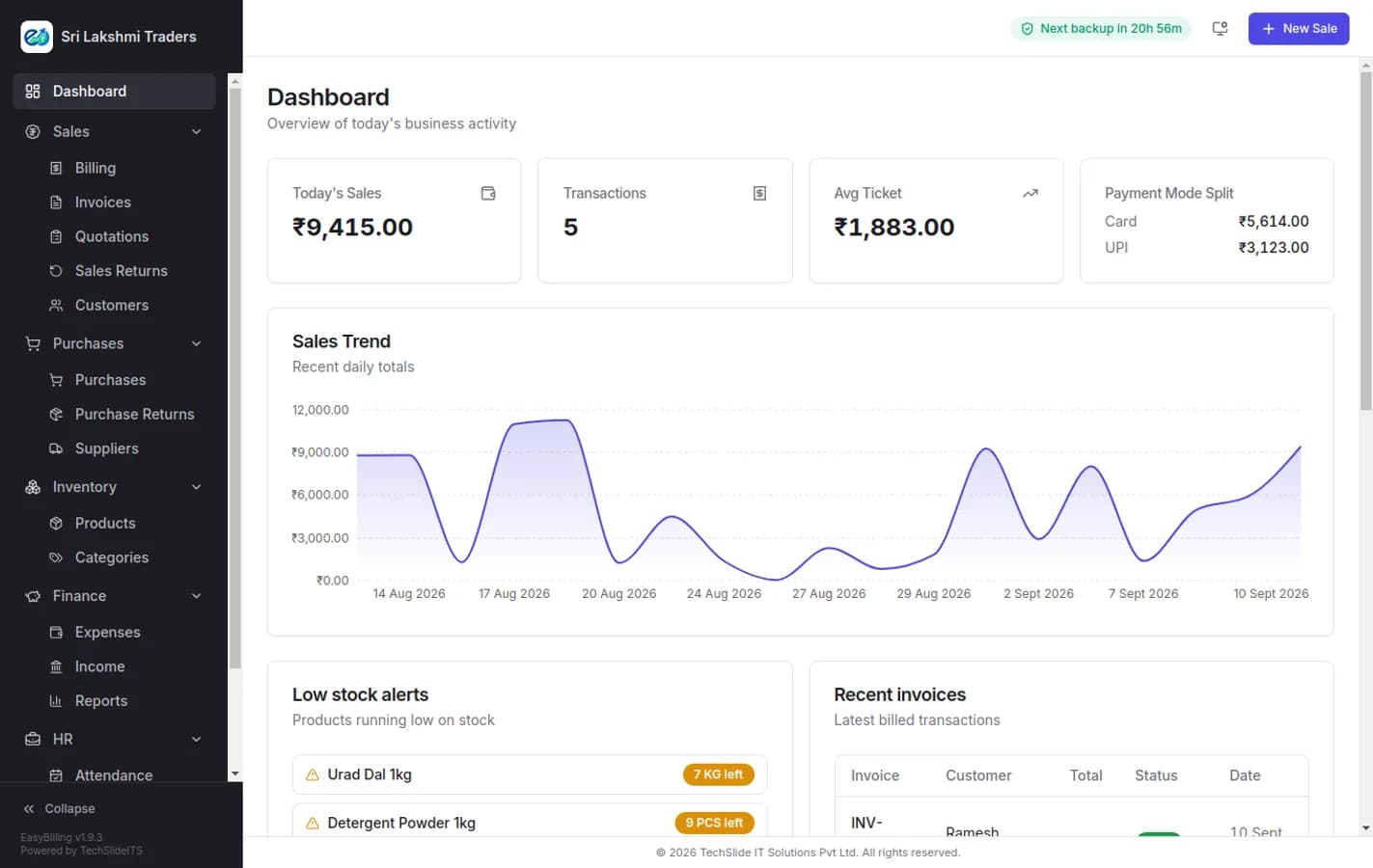
Every screen works with the router unplugged.
B2B/B2C split, HSN summary, net tax payable.
Backups land in a folder you own, not ours.
No monthly seat you forget you're paying for.
Everything a counter needs, on day one
The modules below are in every plan. The rest switch on when your licence says so — nothing disappears from the sidebar, it just wears a lock.
Billing & POS
Scan or search, hold and resume parked bills, split a payment across cash, card and UPI, print thermal or A4. Keyboard-first, so a trained hand never reaches for the mouse.
Inventory
Products, categories, units and HSN codes. Turn on batch and expiry per product and stock leaves by nearest expiry first, with an expiring-stock report behind it.
Barcode labels
Select products and print a sheet of scannable labels. Anything without a barcode gets one generated for it rather than being skipped.
Customers & balances
Credit sales, running balances and an outstanding report, with an invoice shared straight to WhatsApp or email when you want paying.
Reports
Day book, sales by item, profit, outstanding, stock valuation, expenses and income — each exportable, none of them needing a month-end rebuild.
Google Drive backup
Scheduled backups into your own Drive account, restorable from any point. The data folder is yours, and uninstalling asks before it touches it.
A bill in eleven keystrokes
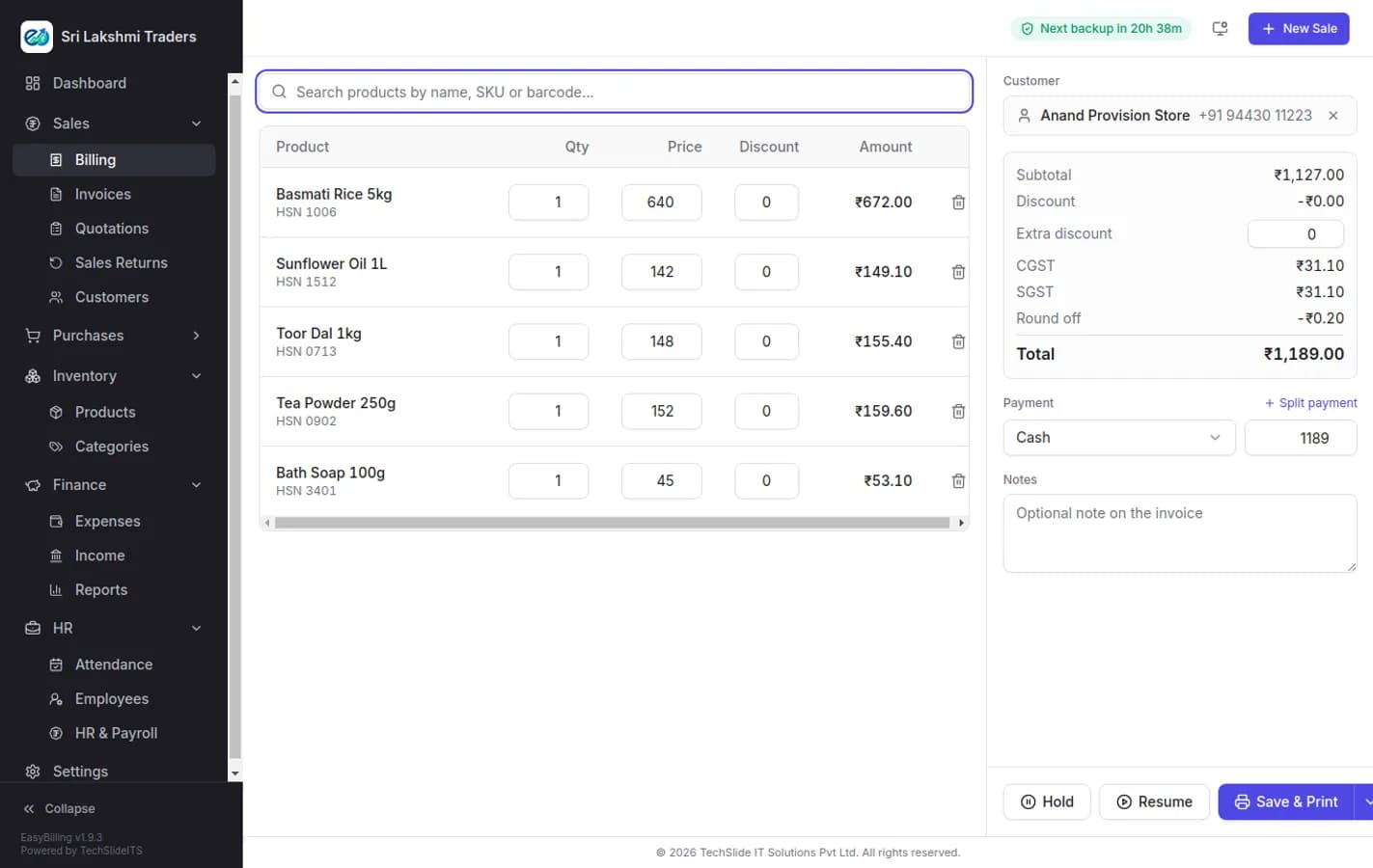
Every line has to be a real inventory item, so the stock and the invoice can never drift apart. Hold a bill when a customer runs back for milk, pick it up again from the list, and settle it in cash, card, UPI or a mix of all three.
- Hold and resume parked bills, listed with customer, item count and total
- Batch and expiry picked automatically, nearest expiry first
- Thermal 58/80mm or A4, laid out in Settings → Invoice Design
- Sales returns against a completed invoice, with a printable credit note
Filing month ends at four, not midnight
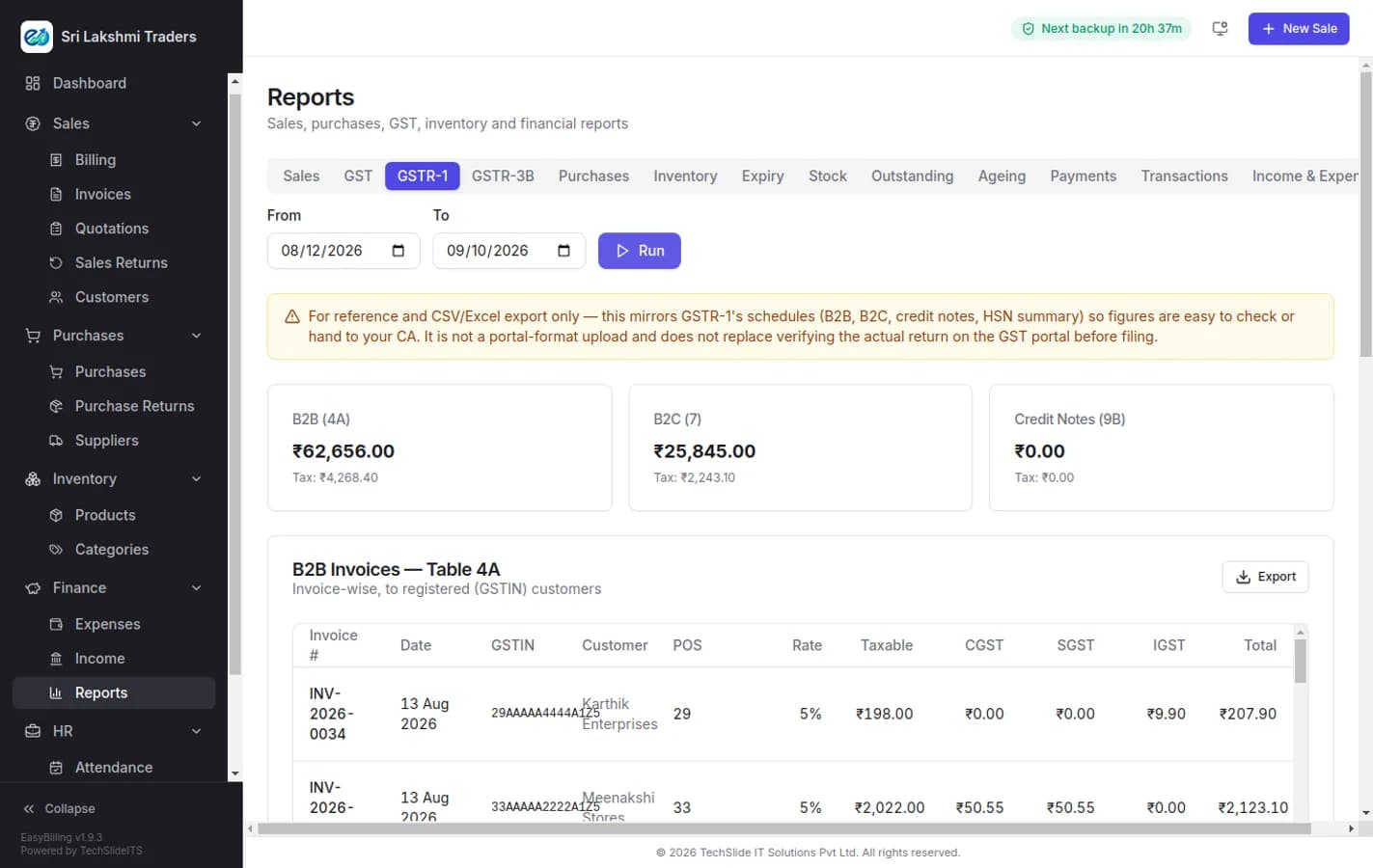
GSTR-1 and GSTR-3B are built from the invoices you already raised — B2B and B2C split out, credit notes netted off, an HSN summary, and the net tax payable at the bottom. Export it and hand it to your CA.
- B2B, B2C large and B2C small, with credit notes applied
- HSN summary and net tax payable, ready to file from
- Tax rate and HSN held on the product, so one correction fixes every report
- Reverse charge and nil-rated lines handled on the invoice
Grow into it, not out of it
Buy a module on its own or move up a plan — priced pro-rata for the time left on your licence and applied the moment you pay, from inside the app.
HR & Payroll
Salary components as a fixed amount or a percentage of basic, a structure per employee, advances booked as expenses and recovered from payroll, a monthly run pro-rated by paid days, and printable A4 payslips.
Attendance
Daily register with one-click "mark all present", punch in and out with late marks against the shift, weekly offs, holidays, and a monthly summary with paid days and leave balance.
Purchases & returns
Supplier bills with payments recorded against them, a full edit that re-adjusts stock, and debit notes when goods go back.
Staff & roles
Username and password sign-in, custom roles built by ticking the screens and actions they may use, and password recovery using the licence key this device was activated with.
One licence, per computer
Install first, decide after. The activation screen lists the current plans with their prices, what each one includes and its limits — pay with Razorpay and the machine unlocks itself, with the key emailed to you for your records.
Start on the trial
Pick the trial plan, enter your details, and the licence is issued and activated on that computer straight away.
Plans decide the modules
Each plan includes a set of modules and monthly limits. Settings → License shows what you have and how much of each limit is used.
Upgrade without reinstalling
Add a module, a device or a bigger plan from inside the app. It is priced pro-rata for the time left and applied immediately.
Need a quote for several counters or branches? Talk to us.
Asked before
you download
EasyBilling is Windows billing software for Indian shops and small businesses. It raises GST invoices, tracks inventory with batch and expiry, records purchases and expenses, produces GSTR-1 and GSTR-3B, and runs attendance and payroll — all on your own PC, offline, with backups to your own Google Drive.
Anything else — ask support, we answer in business hours.
Does EasyBilling need an internet connection?
No, not for the work itself. Billing, stock, reports and printing all run on your own Windows PC with no connection at all. The internet is used only for licence check-ins, Google Drive backup, and sending an invoice by email or WhatsApp.
Where is my data stored?
In a folder on your own computer. Backups go to the Google Drive account you connect — not to our servers. Updating EasyBilling never touches that folder, and uninstalling asks whether to delete it or keep it for a reinstall.
What does EasyBilling send back to TechSlideITS?
With each licence check-in it sends a small usage summary: how many invoices have been created, when the last one was raised, and when a staff member last signed in. No invoice contents and no customer data are sent.
Is there a free trial?
Yes. Choose the trial plan on the activation screen and enter your details — the licence is issued and activated on that computer straight away, and the key is emailed to you as well.
Can I run EasyBilling on more than one computer?
A licence activates one computer. A second counter is an add-on device on the same licence, priced pro-rata for the time left, and added from Settings → License inside the app.
What happens if my plan does not include a module?
It stays in the sidebar with a lock icon rather than disappearing. Clicking it explains what the module does and offers a "Check licence now" button, which opens it the moment your plan is updated.
Does EasyBilling work with a thermal printer?
Yes — 58mm and 80mm thermal printers and ordinary A4 printers are both supported. Settings → Invoice Design chooses between them and controls what prints: logo, GSTIN, HSN and tax columns, payments, bank details, signature line, terms and a promotional image.
Bill your first customer this evening.
Download, install, activate the trial. Twelve minutes, including the printer.